Duostrick
Studio News
Mediqora: The Offline Player That Turns Your Files Into a Library
Mediqora is an offline Android video & music player that reads your filenames into series and episodes and remembers where you stopped. No ads, no internet.
·6 min read
Play local videos & music. Auto-sorted into series. No ads, no internet needed.
Most local video players on Android hand you a list of filenames. Mediqora reads them instead — a folder of downloads becomes Show Name → Season 3 → Episode 4, with progress tracked per episode and the next one waiting on the home screen.
It works for movies, TV series, lectures, podcasts and your music collection alike. There is no account, no advertising, and no internet permission in the app at all.
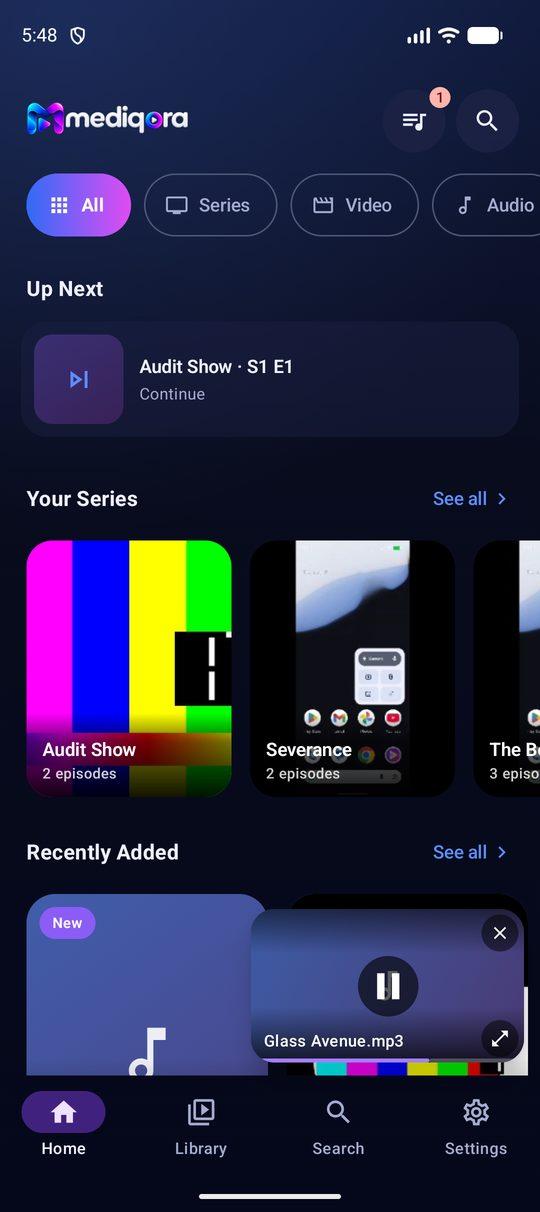
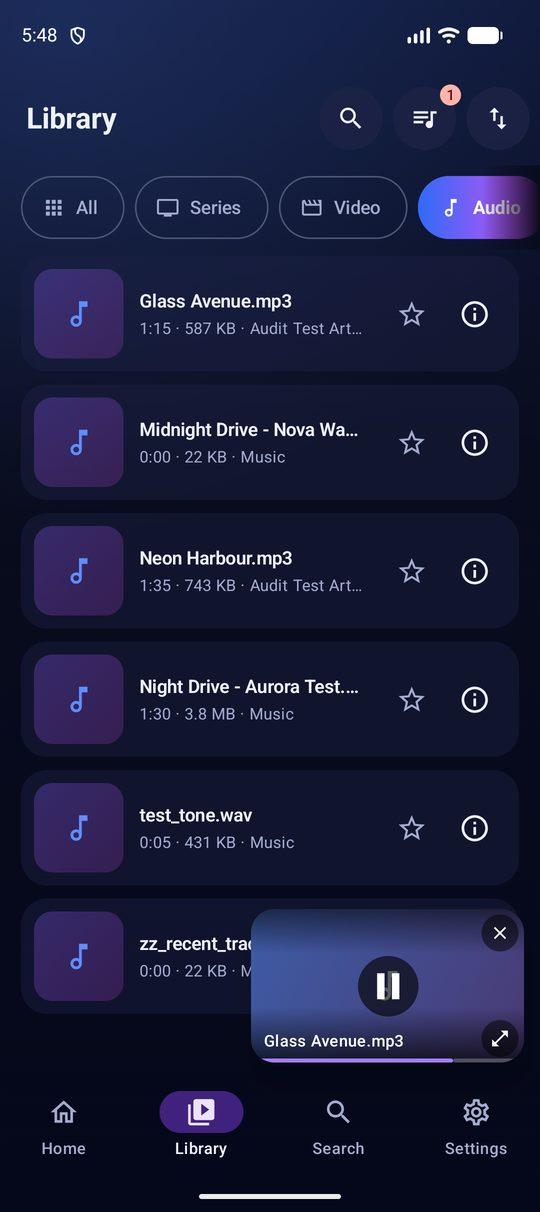
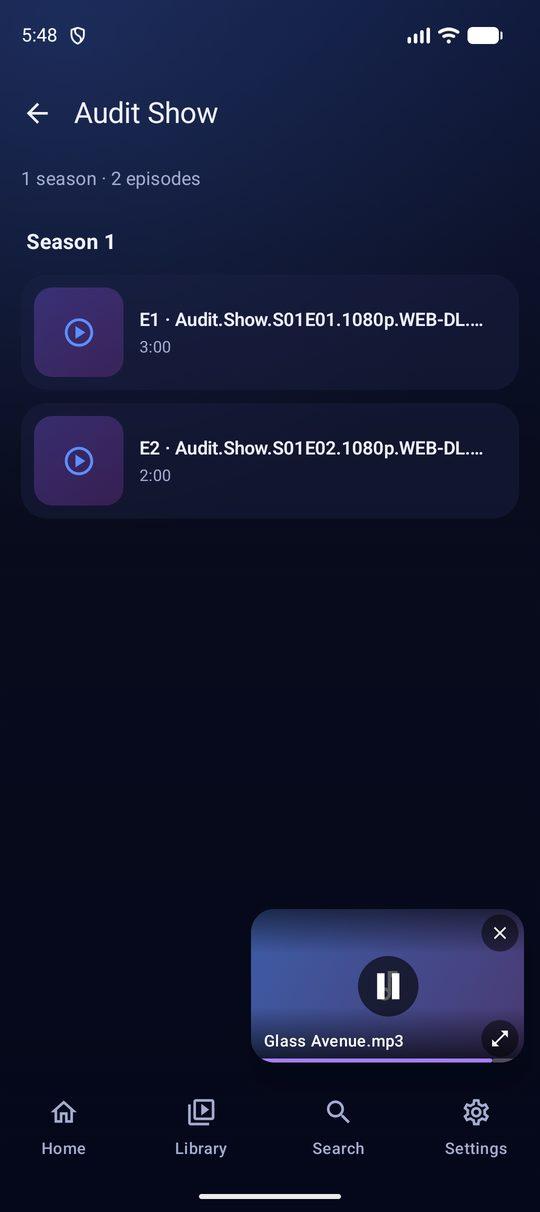
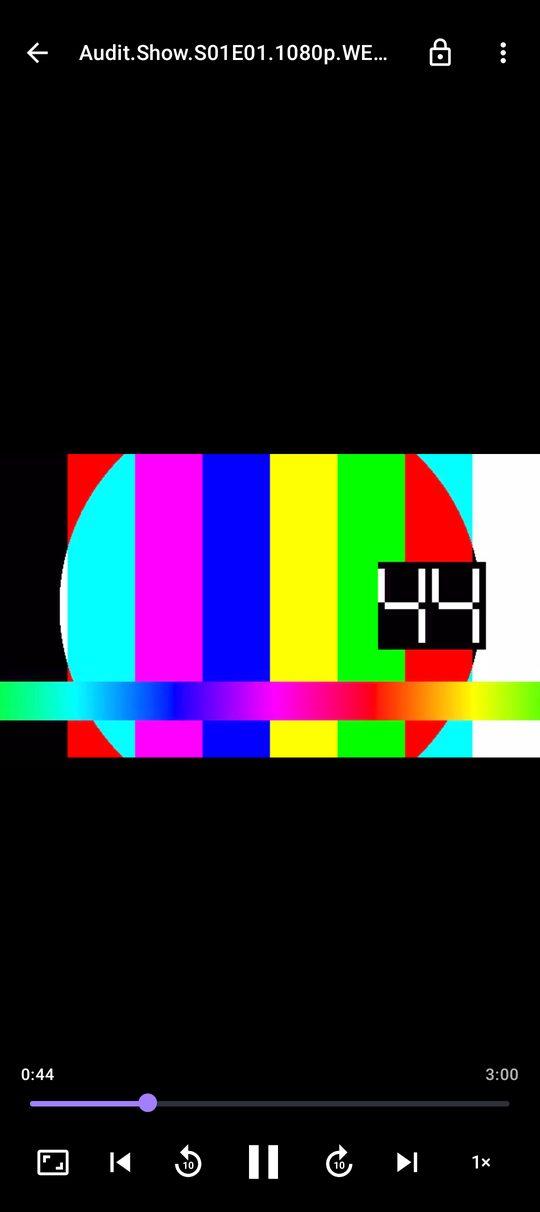
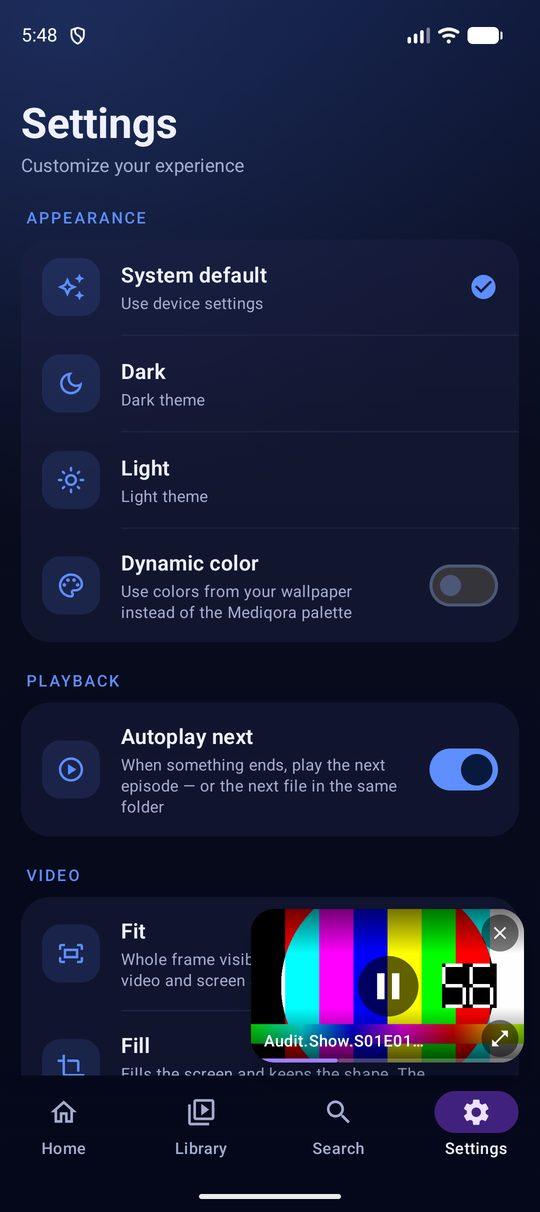
Drop in a season of episodes and Mediqora parses the filenames to work out the series, the season and the episode number.
Once something is playing the interface should disappear. Mediqora's player is built around gestures and quick controls.
The same library and resume logic covers your music, so a long podcast or audiobook chapter picks up exactly where you left it.
Mediqora does not request internet access, so nothing you watch, search or listen to is able to leave your device. This is structural, not a setting you have to find — there is no code path that could send your viewing habits anywhere.
Plays the common formats your device supports, including MP4, MKV, WebM, MP3, AAC and FLAC. Open a file from your file manager with “Open with”, or add folders from an SD card using Android's own folder picker.
Mediqora builds series from the information in your filenames, so it needs that information to be present. Keep the season/episode pattern in the name (for example Show.Name.S03E04.1080p.mkv) and keep episodes of the same show together in one folder. Renaming a file down to something like 04.mkv removes the only signal the parser has.
Once Mediqora has grouped a series, Up Next shows the next unwatched episode on the home screen so you can resume a show in one tap. Because progress is tracked per episode, finishing one automatically moves Up Next to the following one. You can also turn on autoplay so the next episode starts on its own.
Neither. Mediqora does not request the internet permission at all, so nothing you watch, search or listen to is able to leave your device. There is no account to create, no ads, no analytics and no tracking.
Use Add folder and pick the location with Android's own folder picker — it works for an SD card or any other location your device exposes. Mediqora only asks for access to the videos and music on your device; it does not ask for contacts, location, camera or microphone.
Mediqora plays the common video and audio formats your device supports, including MP4, MKV, WebM, MP3, AAC and FLAC. You can also open a file from your file manager or any other app using Open with.
Still stuck? Head to Support & FAQ or email support@tradeslook.com.